You’ve got ideas. You’ve got a phone, maybe a laptop. But every time you try to create a video, the same wall appears — editing software that costs a fortune, stock footage you can’t afford, or voice-overs that sound robotic at best. Sound familiar?
Here’s what most tutorials won’t tell you: in 2026, you genuinely don’t need any of that. A new wave of free AI video generators is changing what’s possible for content creators — and one of the most impressive ones came straight from Google. No watermarks, no credit card, no catch (for now).
This guide breaks down five AI tools that actually work — covering everything from video creation and voice cloning to AI-generated music and full website builds. If you create content for YouTube, Instagram, or TikTok, at least one of these is going to change how you work.
Meta AI: The Free AI Video Maker You’re Probably Ignoring
Let’s be honest — when people think of AI image and video tools, they rarely think of Meta. That’s a mistake. Meta AI, built into the Facebook and Instagram ecosystem, lets you generate images and short videos without any usage cap. Unlimited. Free. Right now.
The workflow is simple. You type a prompt — something like “duck swimming in a lake” — and it generates four image variations with genuinely solid quality. From there, you can animate any one of them into a video with a single click. You can even redirect the animation with a custom prompt, so instead of a duck just floating, you get a duck swimming next to an alligator. Absurd? Yes. Powerful? Absolutely.
But the part that actually makes Meta AI stand out for content creators is the insight analysis feature. Because this AI lives inside the Meta platform, it already understands how Instagram and Facebook content performs. You can screenshot your profile analytics — reach, engagement rate, top posts — drop them into a conversation, and ask Meta AI to analyse your account and suggest what to change. It reads the numbers and gives you a content direction. That’s not a gimmick. That’s genuinely useful strategy advice, for free.
If you want to go deeper on using AI to build your creative workflow, check out this guide on unlocking the power of free AI tools — there’s a lot of overlap with what Meta AI does here.
Google Vids: The Free AI Long Video Generator That Changes Everything
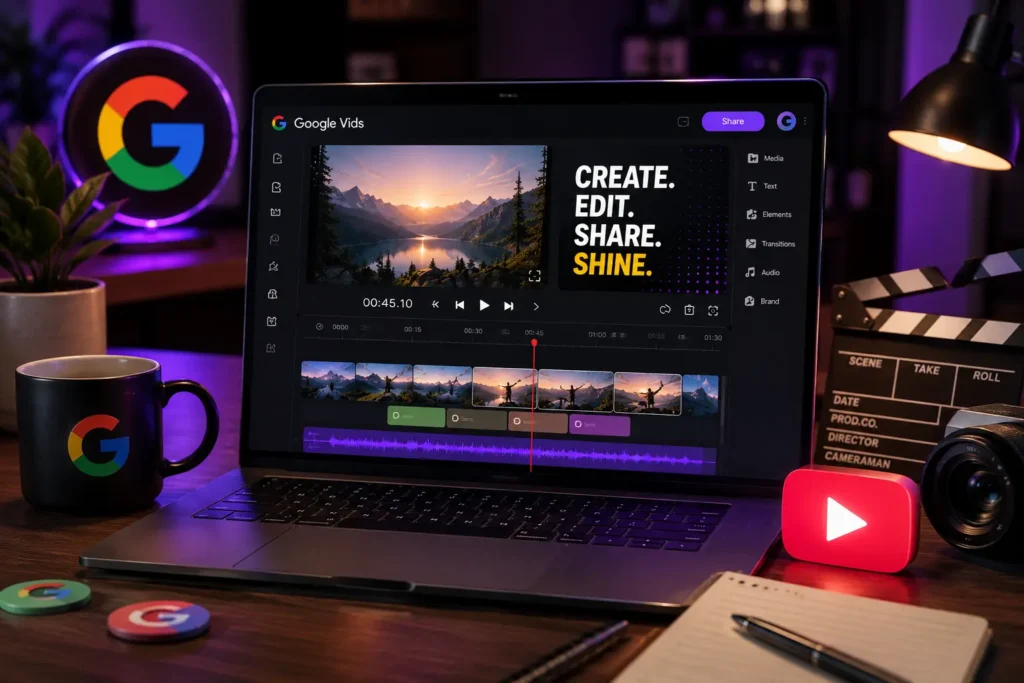
This is the one everyone is talking about — and for good reason. Google Vids is a free AI video maker for long videos, built directly into the Google Workspace ecosystem. You don’t need a subscription to Gemini Advanced to get started. Just log in with your Google account and you’re in.
The interface feels like a cross between Google Slides and a professional video editor. You work inside a canvas, building your video scene by scene. You can generate video clips from text prompts using Google’s VO model — type what you want to see, and it renders a clip. You can also upload your own images and animate them, which is where it gets genuinely exciting for storytelling.
Here’s the technique that makes long-form content possible with this tool: take a screenshot of the last frame of your first generated clip. Upload that image into the next generation prompt. Ask the AI to continue the scene — “the man walks toward the ocean and sees a ship on the horizon.” Repeat. Each new clip picks up visually where the last one ended. It’s not seamless cinema, but it’s a legitimate method for building extended narrative videos for free.
The free tier does have limits. Avatar creation (AI presenter speaking on screen) requires a paid Google One AI Premium plan. But standard video generation, image creation, and scene assembly? All free. If you hit a generation limit on a given day, come back tomorrow — the credits reset.
One thing worth noting: some users report issues accessing Google Vids on certain accounts. If that happens to you, try a different Google account. The tool is there — it’s just occasionally tied to workspace configurations.
Google’s AI ecosystem is expanding fast. If you’re also curious about what Gemini AI features are coming to Google TV, that’s worth reading alongside this — they’re all part of the same strategy.
Voice, Music and the Tools Making AI Content Sound Human
Video is nothing without sound. And this is where two tools step in that most “free AI tools” lists completely overlook.
MiniMax Audio is one of the most underrated free AI audio tools available in 2026. When you sign up, you get 10,000 credits — and they renew. That’s enough to generate a lot of voice content and music before you even need to think about limits.
What sets it apart is the emotional layer. You’re not just typing text and hitting generate. You can control speaking speed, pitch, volume, and — this is the part that feels almost too good — the emotional tone of the voice. You can add micro-pauses between phrases, adjust emphasis, and fine-tune exactly how the voice lands on the listener. For creators doing explainer videos, product reviews or narrated content, this level of control is huge.
You can also clone your own voice. Record a sample, upload it, and MiniMax creates a vocal model of you. Use it to narrate scripts without recording new audio every time. The obvious warning here: only clone voices you have explicit permission to reproduce. Cloning a public figure’s voice without consent isn’t just ethically wrong — it can get your content removed across every major platform instantly. Don’t do it.
On the music side, MiniMax generates original instrumental tracks from a text description. “Cinematic orchestral piece with tension and rising strings” — done. Two variations, free, no copyright issues. For creators who want background music without the licensing nightmare, this is a clean solution. We actually wrote a full breakdown on how AI music creators work if you want to understand the technology behind it.
And speaking of audio tools worth knowing — ElevenLabs remains one of the most capable voice AI platforms out there, with a generous free tier that pairs beautifully with everything covered in this article.
Two More Free AI Tools That Deserve a Spot in Your Stack
We’ve covered video and audio — but a complete content creator’s toolkit in 2026 needs a couple more pieces.
YouTube Create is Google’s dedicated mobile editing app, and it’s built specifically for creators. The AI inside it does something clever: it watches your raw footage, understands what’s happening in the clip, and generates narration automatically. You choose the voice style, the pacing and the language — then the app writes and records a voice-over based on what it literally sees in your video. No script needed. For creators who struggle with the writing side, this is a game-changer.
You can also generate images directly inside YouTube Create using Google’s Imagen model, then animate those images into short video clips. Export to your camera roll or publish straight to YouTube Shorts without leaving the app. It’s not available on desktop — mobile only — but that’s honestly where most short-form content gets made anyway.
The second tool is Qwen, an AI from Alibaba that generates full, working website code from a plain-text description. No login required. You describe what kind of site you want — a portfolio, a link-in-bio page, a product landing page — and it writes the complete HTML, CSS and JavaScript. Copy it, save it as an index.html file, open it in a browser, and your site is right there, working, looking sharp.
If you want to put that site live on the internet, you’ll need hosting. Hostinger offers plans starting at very accessible prices, and getting a domain and hosting set up takes about ten minutes. For anyone building a personal brand alongside their content, having a real website — not just a social profile — makes a serious difference.
If you want to explore what else AI can do beyond video — including design and branding — this piece on how an AI logo generator can transform your brand is genuinely worth your time.
And for creators who want to go even further with their content strategy and automation, Go High Level is one of those platforms that ties everything together — content, leads, email, automation — in one place. Worth knowing about if you’re scaling.
The Prompt Is the Skill Nobody Talks About
Here’s the thing that most free AI video tutorials gloss over: the tool itself is only half the equation. The other half is what you type into it.
A vague prompt gets a vague result. “Make a video of a city” gets you something generic. “Aerial drone shot over a neon-lit Tokyo street at 2am, rain-slicked roads, slow cinematic movement” gets you something cinematic. Same tool. Completely different output. The quality of your results — across every single one of these platforms — depends heavily on how specific and intentional your prompts are.
A few things that consistently improve AI video results:
- Describe the camera angle, not just the subject (“close-up”, “bird’s-eye view”, “tracking shot from behind”)
- Include mood and lighting details (“golden hour”, “overcast and moody”, “neon reflections”)
- Add movement direction (“slowly pan left”, “subject walks toward camera”, “camera pulls back to reveal the full scene”)
Think of it like directing. You’re not just ordering a video — you’re communicating a vision. The more clearly you can describe what you see in your head, the closer the AI gets to showing it back to you.
This matters especially with Google Vids, where building long-form content depends on sequential prompts that maintain visual continuity. If each prompt feels disconnected, your video will too. Keep a consistent visual language — same lighting style, same colour palette, same character description — across every clip you generate.
If you’re also exploring AI tools beyond video creation, our overview of how AI tools are transforming app development gives a broader picture of where all this is heading.
Wrapping Up: Your Free AI Video Stack for 2026
Let’s be real — a year ago, creating a long-form video with AI, original music, a cloned voice-over and a custom website to support it would have cost real money or required serious technical skills. In 2026, that entire stack is available for free, and most of it takes minutes to set up.
Google Vids is the headline act here — a legitimate free AI long video generator that lets you build scene by scene with smart prompting. But it works best when you pair it with Meta AI for visuals and insights, MiniMax Audio for voice and music, YouTube Create for mobile editing, and Qwen for anything web-related.
None of these tools guarantee permanence on their free tiers — AI platforms shift pricing all the time. Use them now, build with them now, and learn the craft of prompting while it costs you nothing.
Which one are you starting with? Drop it in the comments — I’m genuinely curious what people are building with these right now.

The Apps Zone is your go-to resource for discovering the best mobile apps across all categories. We provide expert reviews, tips, and recommendations to help you make the most of your smartphone or tablet. Whether you’re looking for productivity tools, entertainment options, or learning resources, we’ve got you covered!